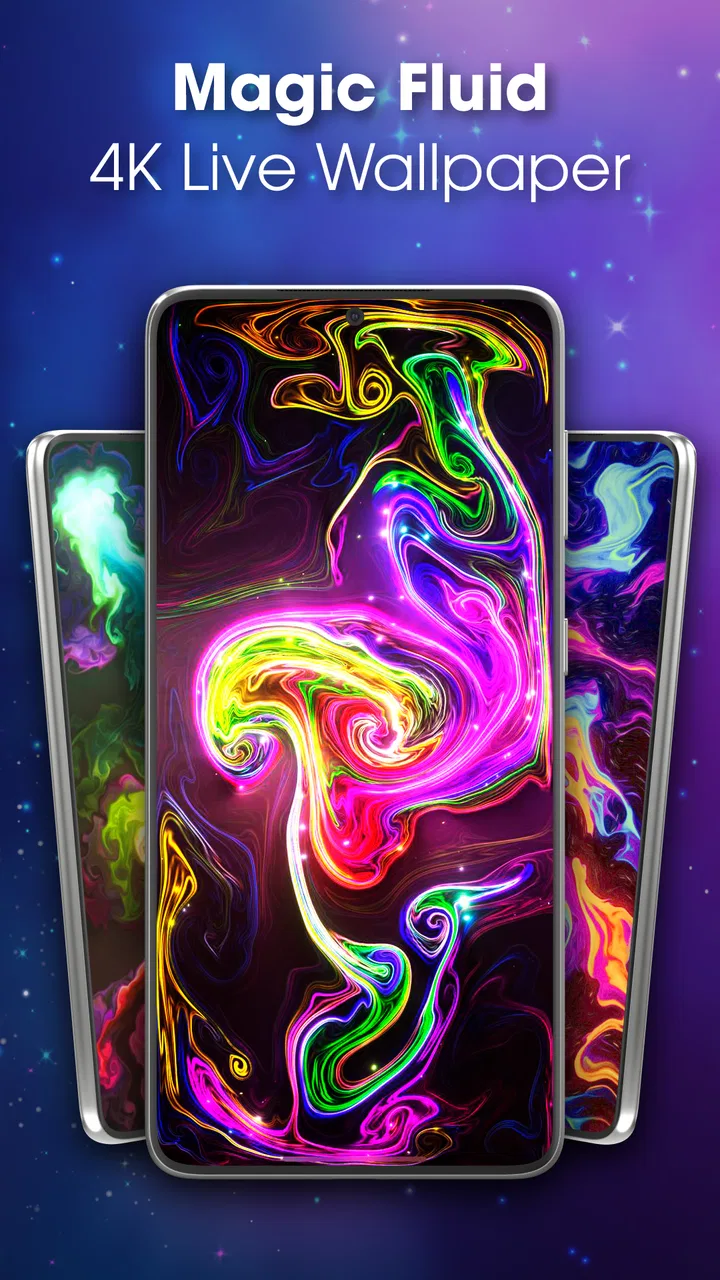
Magic Fluid live wallpaper 4D
- 3.8
- Rating
- 10.00M
- Installs
- Free
- Price

 Analysis by App-foxy
I installed Magic Fluid Wallpaper: 4D live wallpaper because I wanted something more interesting than a static background without turning my home screen into a busy distraction. The idea is simple: it uses fluid simulation to create moving, colorful visuals designed to feel relaxing. After spending time adjusting my expectations around what a live wallpaper can realistically do, I found it most appealing as a quiet visual layer rather than a feature-packed personalization suite.
That distinction matters. This is not an app I open repeatedly to complete tasks, edit photos, or manage a theme. Its job is to make the phone feel more personal whenever I look at the home screen or lock screen. The experience is passive, but that does not make it pointless. A smooth, abstract background can make a familiar device feel fresh, especially during short pauses in the day when I unlock the phone without any particular goal.
Magic Fluid 4D is free to install, aimed at everyone, and comes from Wavez Technology Ltd. It sits in the personalization category, where it competes less with icon packs and complete launchers than with animated wallpapers and visual customization tools. The app has reached over ten million installs and holds a 3.8 average from roughly thirteen thousand ratings, which suggests broad interest but also a mixed experience across different phones and user preferences.
You May Also Like

 Blood Strike: 2.5 Anniversary
Blood Strike’s Loadouts Turn Every Drop Into a Tactical Gamble
A close look at Blood Strike’s custom loadouts: how fast access to signature weapons reshapes its battle royale rhythm, rewards preparation, and narrows the gap between fights.

 Pandora - Music & Podcasts
Pandora’s Music Is Easy to Start, but Harder to Recover
Pandora’s strength is its low-effort path from a seed to a station. Its weak spot is how much confidence it asks you to place in connection, setup, and quiet recovery.

 8 Ball Pool
 Is Built on Rivalries, Rematches, and Routine
A close look at the rivalries, rematches, shared routines, and unanswered safety questions that turn a quick pool match into a persistent mobile community.

 Samsung Music
’s Quiet Strength Is Playing What You Already Own
Its reach comes less from spectacle than from dependable access to a personal library. That simplicity is both the app’s strongest retention engine and its ceiling.

 AccuWeather: Weather Radar
AccuWeather Review: A Quick, Clear Forecast for Everyday Decisions
For everyday plans, the best forecast is the one you can understand quickly. AccuWeather makes rain timing, radar, and local conditions easy to act on, with a few trade-offs.

 Hill Climb Racing
Why Hill Climb Racing Still Turns Crashes Into One More Run
A tiny car, a bumpy hill and one more upgrade: Hill Climb Racing keeps resurfacing because its simple chaos makes every near-miss feel personal.
More From Our News Desk



How the wallpaper feels in everyday use
I judge this kind of wallpaper by what it adds during the small pauses between tasks, not just by how striking it looks in a preview. I’ll also consider the practical choice of when to keep motion on and when a still background may suit the moment better.
Speed expectations before you set it as a background
The first thing I noticed is that a fluid wallpaper should be judged differently from a normal app. There is no long feed to load and no complicated workspace to navigate. The important question is whether the animation feels pleasant while I move around the phone, not whether the app launches with the speed of a calculator.
On a capable device, the concept works best when the movement remains visually smooth and does not compete with icons or text. The fluid effect gives the background a sense of depth, but the result depends heavily on the chosen colors and how much motion is happening behind the interface. A vivid pattern can look impressive in a preview and become tiring when it sits underneath every app shortcut.
I recommend spending a few minutes observing the wallpaper with your usual icons in place before deciding that a particular style is right. A background that looks beautiful on an empty preview may reduce readability once notification badges, widgets, and folders are added. Darker or less crowded visual arrangements are generally easier to live with because they leave the foreground elements clear.
The app is more suitable for people who enjoy subtle motion than for anyone expecting a complete transformation of the operating system. It changes the atmosphere of the phone, but it does not replace a launcher, redesign every icon, or organize the home screen for you. That narrow purpose is also one of its strengths: there is less to learn than with a full personalization package.
What happens during heavy-use moments
The most demanding situation is not opening the wallpaper app itself. It is leaving an animated background active while the phone is doing other work, such as switching between several apps, watching video, using navigation, or playing a graphics-heavy game. In those moments, the wallpaper becomes part of the phone’s ongoing visual workload, even though you may barely notice it.
Because the app relies on fluid simulation, I would not treat it as completely free from resource demands. The exact effect will vary with the phone, display settings, and whatever else is running. On an older or entry-level device, an animated background is a less sensible choice than a still image if your priority is maximum responsiveness or endurance. That is not a flaw unique to this app; it is the basic trade-off of choosing motion over a static wallpaper.
My practical advice is to test it during the activities that matter most to you. If you spend much of the day reading, messaging, and browsing, the wallpaper may be easy to keep. If you regularly play demanding games or rely on your phone for long navigation sessions, check whether the visual effect remains worth the extra activity. The right decision is not based on the preview alone but on how the phone feels after your normal routine.
There is also a simple workflow that makes the app easier to evaluate: set the wallpaper in the morning, use the phone normally, and pay attention to three moments—unlocking after a long idle period, returning to the home screen from a demanding app, and using the phone when the battery is already low. Those moments reveal more than repeatedly watching the preview inside the app.
Stability and recovering from interruptions
A live wallpaper is expected to behave quietly in the background, so reliability means more than avoiding a visible crash. It should return naturally when I leave an app, remain visually consistent after the phone has been idle, and avoid becoming an annoyance that needs constant attention. My impression is that the experience is best when I treat the wallpaper as a set-and-forget customization rather than something I continually manipulate.
Android may also manage background activity differently depending on the manufacturer and the device’s power settings. If the animation pauses, changes behavior, or needs to be selected again after a system update or aggressive battery management, that can be related to the phone’s software environment rather than the design of the wallpaper alone. For that reason, I would not judge the app from a single unusual interruption.
When a live wallpaper does not appear as expected, the sensible recovery path is straightforward: return to the wallpaper selection screen, choose it again, and restart the phone only if the system still shows a static background. I prefer this approach to repeatedly changing every available setting, because it helps identify whether the issue is the wallpaper selection itself or a temporary launcher problem.
One useful habit is to keep a static image available as a fallback. This is especially practical before travel, a long workday, or an important video call, when you may prefer predictable battery behavior and do not want to troubleshoot visual customization. Having an alternative does not diminish the app; it simply acknowledges that animated backgrounds are optional decoration, not essential phone infrastructure.
Device limits and the Android version to consider
The app supports Android seven point zero and later, which gives it a broad potential audience. Compatibility on paper does not mean every supported phone will deliver the same visual experience, though. Screen resolution, processor capability, memory pressure, display refresh behavior, and the manufacturer’s power management can all influence how comfortable a live wallpaper feels.
For a newer mid-range or high-end phone, I would approach Magic Fluid 4D with reasonable confidence, while still checking the effect against your preferred battery settings. On an older phone, the decision should be more conservative. A static wallpaper is the better option if you already notice delayed app switching, frequent launcher redraws, or rapid battery decline during ordinary use.
The same caution applies to people who keep their phone on battery-saving modes most of the time. Those modes can change how background visuals behave, and the smoothest-looking preview may not represent the experience under restricted power conditions. If you depend on battery-saving features, test the wallpaper with those settings active instead of assuming the normal mode will tell the whole story.
Storage is unlikely to be the main concern for this type of personalization app; the more meaningful trade-off is ongoing animation. In other words, the question is not just whether the phone can install it, but whether you want to spend part of its available performance and battery budget on a moving background. That is a personal choice, and the app makes most sense when the visual benefit is something you genuinely notice.
Comparing it with ordinary wallpaper alternatives
A static photograph remains the simplest alternative. It consumes no animation time, never competes with a game or video, and makes battery behavior easier to predict. If you want a meaningful image—such as a family photo, landscape, or minimalist color field—a still background is probably more useful than Magic Fluid 4D.
Icon packs and launchers offer a different kind of personalization. They can change the structure of the home screen, improve organization, and create a more complete visual identity. However, they typically require more setup and may alter habits you already like. This app is better for someone who wants a noticeable change without rebuilding the entire interface.
Other animated wallpaper tools may offer themed scenes, interactive objects, or more elaborate customization. Those options can be preferable if you want a specific subject rather than abstract motion. Magic Fluid 4D is a stronger fit when you like fluid shapes precisely because they do not tie the phone to a particular character, landscape, or seasonal theme.
The app’s most interesting advantage is its low commitment. I can change the visual mood of the phone without replacing my launcher or rearranging my icons. Its limitation is equally clear: if you want control over every part of the interface, this will feel narrow. It is a background experience, not a complete personalization system.
Useful ways to make the choice work better
My first tip is to judge readability before beauty. Place the wallpaper behind the home screen you actually use, including your largest widget and the folders you open most often. If the moving colors make labels difficult to scan, choose a calmer visual arrangement or return to a static image. A wallpaper should support the interface, not force you to search for basic shortcuts.
My second tip is to use it selectively. You do not have to keep the effect active permanently just because you installed it. It can be a good weekend change, a way to refresh a secondary device, or a visual break during a period when you are not concerned about maximizing endurance. Switching back to a still background on demanding days is a reasonable compromise.
My third tip is to evaluate it after the novelty fades. Animated effects are naturally attention-grabbing at first, but the real test is whether they remain pleasant after several days. If you find yourself mentally ignoring the wallpaper, that is not necessarily a failure; it may simply mean the app has done its job as ambient decoration. If you find the motion distracting, the free installation makes it easy to remove without having invested in a larger setup.
There is also a privacy-conscious practical benefit to keeping the background abstract: it does not depend on displaying a personal photograph or a recognizable location every time you unlock the phone. For users who prefer a neutral appearance in public, fluid visuals can provide personality without revealing anything about their contacts, family, or daily life.
Who will enjoy it, and who should skip it
I would recommend Magic Fluid 4D to someone who likes visual atmosphere, wants a quick home-screen refresh, and does not need a full launcher overhaul. It is particularly appealing if you enjoy abstract art, soft motion, or a background that feels alive without showing a fixed scene. It also suits people who want to experiment with personalization before paying for a more elaborate customization package.
I would be more cautious about recommending it to heavy mobile gamers, users with older hardware, or anyone whose first priority is maximum battery life. A static wallpaper is the more sensible choice for those situations. I would also skip it if you dislike motion behind text or if you expect the app to provide icon changes, widgets, lock-screen tools, and complete theme management.
The purchase model is worth keeping in mind. The app is free, while in-app purchases range from around five dollars to around twenty-five dollars per item. That makes it easy to try the basic experience first, but I would only spend money after confirming that the animation fits your phone and remains comfortable during everyday use. A visual effect is subjective, so the value depends more on how often you enjoy seeing it than on how impressive the first preview looks.
My performance verdict after living with it
Magic Fluid 4D succeeds when I treat it as ambient personalization: a moving layer that gives the phone a calmer, more distinctive feel without demanding a new way of using Android. Its speed and stability are best understood through the device it runs on. Newer phones are more likely to make the effect feel effortless, while older or heavily managed devices may make a static alternative more practical.
The app’s broad compatibility, free entry point, and simple purpose make it easy to try. Its 1.6.1 version is a reasonable starting point for anyone curious about the experience, but the final verdict should come from your own routine rather than the preview screen. Test it while returning from demanding apps, check the home screen with your real widgets, and decide whether the motion adds pleasure or merely adds activity.
My recommendation is positive but specific: choose it if you want fluid visual movement and accept the normal performance trade-off of a live wallpaper. Keep a static fallback if battery life, gaming performance, or absolute predictability matters more than atmosphere. For me, that balance is the app’s real appeal. It does not try to be a complete customization platform; it offers one focused way to make an otherwise ordinary home screen feel more personal.
FAQs for Magic Fluid live wallpaper 4D
01What is Magic Fluid Live Wallpaper 4D and how does it work?
Magic Fluid Live Wallpaper 4D is an interactive app that transforms your screen into a mesmerizing display of fluid art. Users can interact with the fluid by touching the screen, creating dynamic patterns and colors. The app uses advanced algorithms to simulate realistic fluid movements, providing a visually captivating experience.
02Is Magic Fluid Live Wallpaper 4D compatible with all devices?
Magic Fluid Live Wallpaper 4D is designed to be compatible with most Android and iOS devices. However, older devices may experience performance issues due to the app's high graphical requirements. It’s recommended to check the app's compatibility with your device's specifications before downloading to ensure optimal performance.
03Does Magic Fluid Live Wallpaper 4D consume a lot of battery?
The app is designed to be resource-efficient, but due to its graphical intensity, it may consume more battery than static wallpapers. Users can optimize battery usage by adjusting settings such as resolution and frame rate within the app. It's advisable to monitor battery performance during initial use to find a balance that suits your device.
04Can I customize the fluid patterns and colors in Magic Fluid Live Wallpaper 4D?
Yes, Magic Fluid Live Wallpaper 4D offers a range of customization options. Users can choose from different fluid types, colors, and interaction settings. The app allows you to personalize your experience by adjusting parameters to create unique and stunning visual effects tailored to your preference.
05Is Magic Fluid Live Wallpaper 4D free to use, or does it contain in-app purchases?
Magic Fluid Live Wallpaper 4D is available as a free download, providing basic features at no cost. However, it offers in-app purchases to unlock additional features and customization options. This allows users to enhance their experience with more fluid types, color palettes, and advanced settings.
Pros
- Visually stunning and dynamic effects.
- Highly customizable fluid patterns.
- Low battery consumption mode.
- Interactive touch-responsive animations.
- Smooth performance on most devices.
Cons
- Limited free features available.
- Occasional lag on older devices.
- Ads can be intrusive at times.
- Requires internet for some features.
- No option for static wallpaper mode.

Magic Fluid live wallpaper 4D
Gallery